Build the vehicle profile
Record the vehicle’s identity, capacity, type and availability so dispatch can choose the right resource.

Manage vehicles, driver records and maintenance.
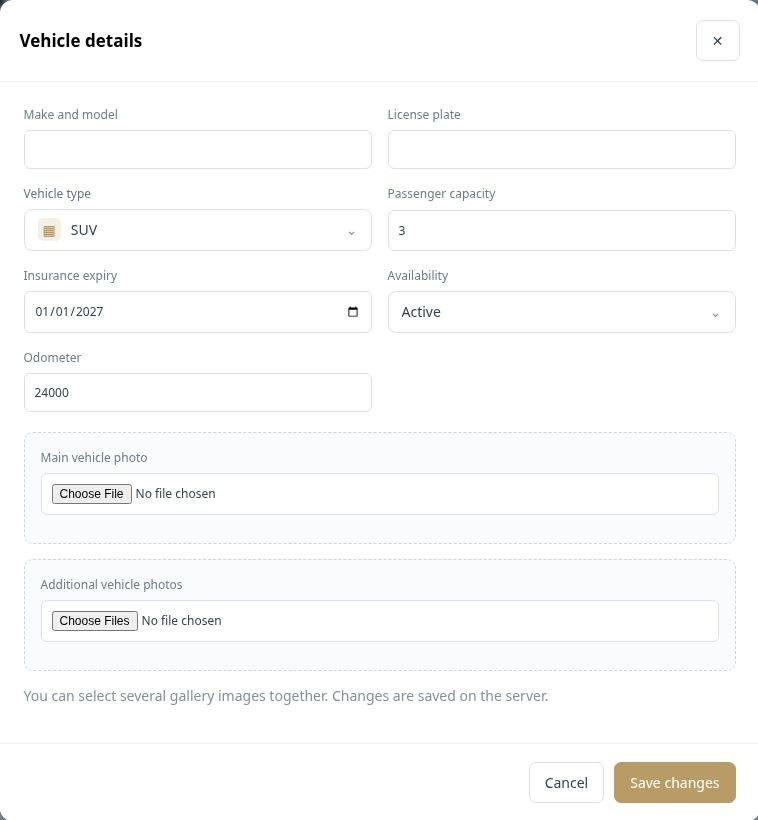
Keep vehicle information, presentation and availability in one profile. Your fleet workspace includes vehicle type, make and model, plate, capacity, insurance expiry and mileage, along with a main photo and additional images. These records support the people choosing and assigning vehicles for each journey.
Record the vehicle’s identity, capacity, type and availability so dispatch can choose the right resource.
Use a main vehicle image and a gallery for additional photographs.
Connect the vehicle with maintenance tasks, expenses and incidents as work is recorded.
A dispatcher can distinguish an active SUV from an unavailable vehicle, while the office maintains the insurance and odometer information in the vehicle profile.
 Enlarge actual screen +
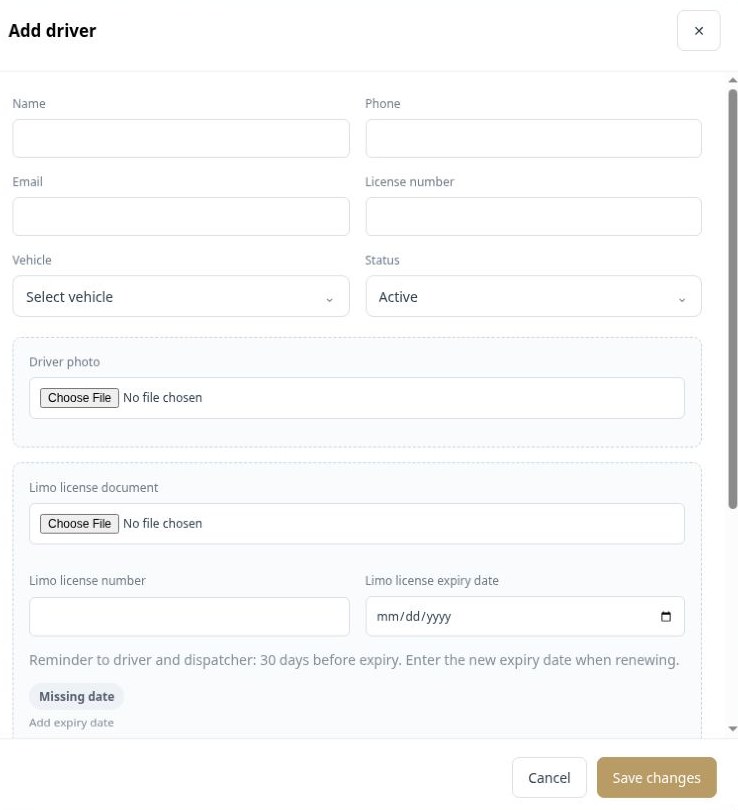
Maintain a dedicated profile for each chauffeur, including contact information, photo, vehicle assignment and license documents. Account access and pay-system configuration connect the driver record with the wider operation. License expiry information helps your team identify records that need attention.
Record the driver’s details, availability status, photo and assigned vehicle.
Store license information and supporting uploads alongside the driver record.
Configure the appropriate account role, screen permissions and driver pay system.
When a driver joins the team, the office can organize their profile, upload the license document and connect the relevant pay system.
 Enlarge actual screen +
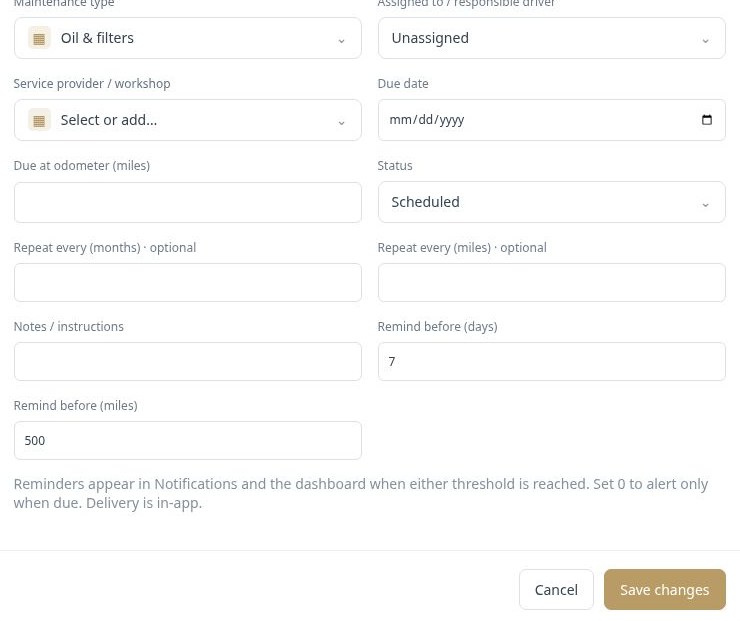
Schedule vehicle maintenance with a due date, mileage threshold or both. Assign the task to a responsible driver and service provider, add instructions and define reminder thresholds. Upcoming tasks, overdue work and completed service history help the office keep maintenance visible alongside daily operations.
Choose the vehicle, maintenance type, responsible person and workshop, then set the due date or odometer threshold.
Configure days or miles before the task is due. The current workflow displays reminders in Notifications and on the dashboard.
Track task status and completed service costs. Optional recurrence can be based on months or mileage.
An oil service can have a mileage threshold and a reminder before it becomes due, with the workshop and task instructions kept in the same record.
 Enlarge actual screen +
 Enlarge actual screen +
See what a connected workspace can do for your limousine business.