Build the journey
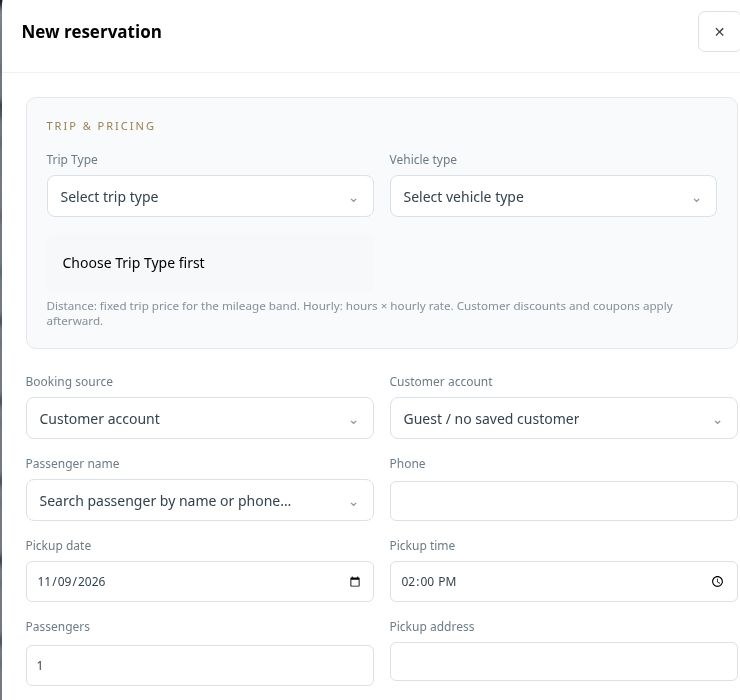
Choose the trip and vehicle type, record the pickup date and time, and add the route, passenger count and optional flight number.

Manage reservations, online booking and hourly or distance rates.
Keep the details your team needs together from the first inquiry: the passenger, booking source, pickup time, route, service type and special instructions. LimosDispatch supports distance and hourly journeys, so dispatch can work from a clear reservation rather than piecing together messages and spreadsheets.
Choose the trip and vehicle type, record the pickup date and time, and add the route, passenger count and optional flight number.
Link a customer account, capture special notes and record child-seat requirements so important instructions travel with the booking.
Assign a chauffeur and vehicle, review pricing and payment information, and keep quotes organized before the trip is confirmed.
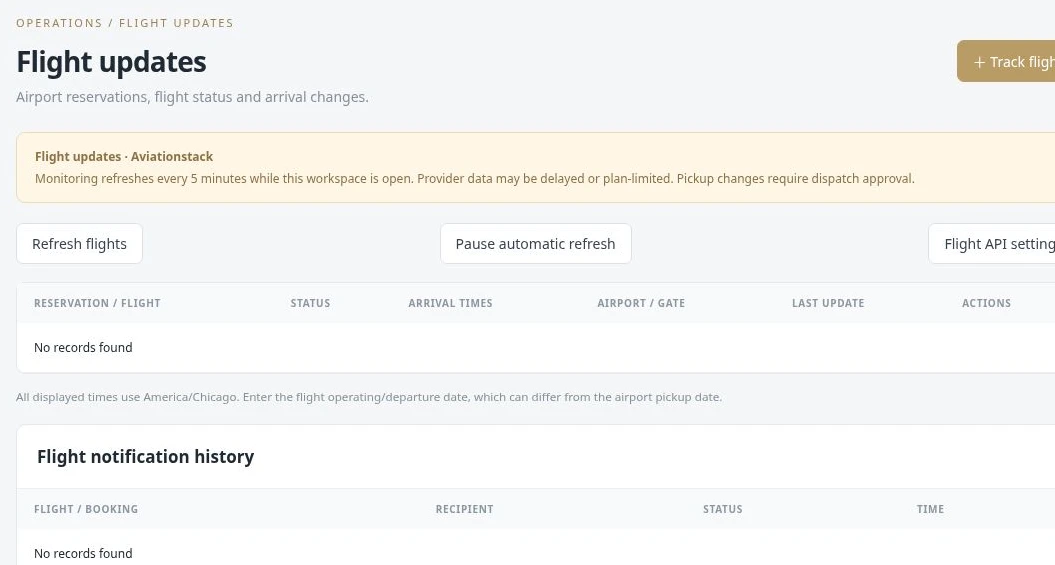
An airport booking can hold the flight number, passenger count, pickup location and child-seat request in the same reservation your dispatcher assigns.
 Enlarge actual screen +
Give visitors a booking form connected to your operation. Collect the information needed for a journey at the point of inquiry, rather than asking your team to retype every detail from a generic contact email. Website booking settings help connect the form with the company’s reservation process.
Capture the service, pickup information and passenger details through a booking form.
Use the website booking configuration and integration with your selected company website.
Bring the request into the booking workflow, then confirm details and assign the appropriate resources.
A visitor requesting an airport transfer supplies the journey information through the booking form. Your team can review the request before allocating a vehicle.
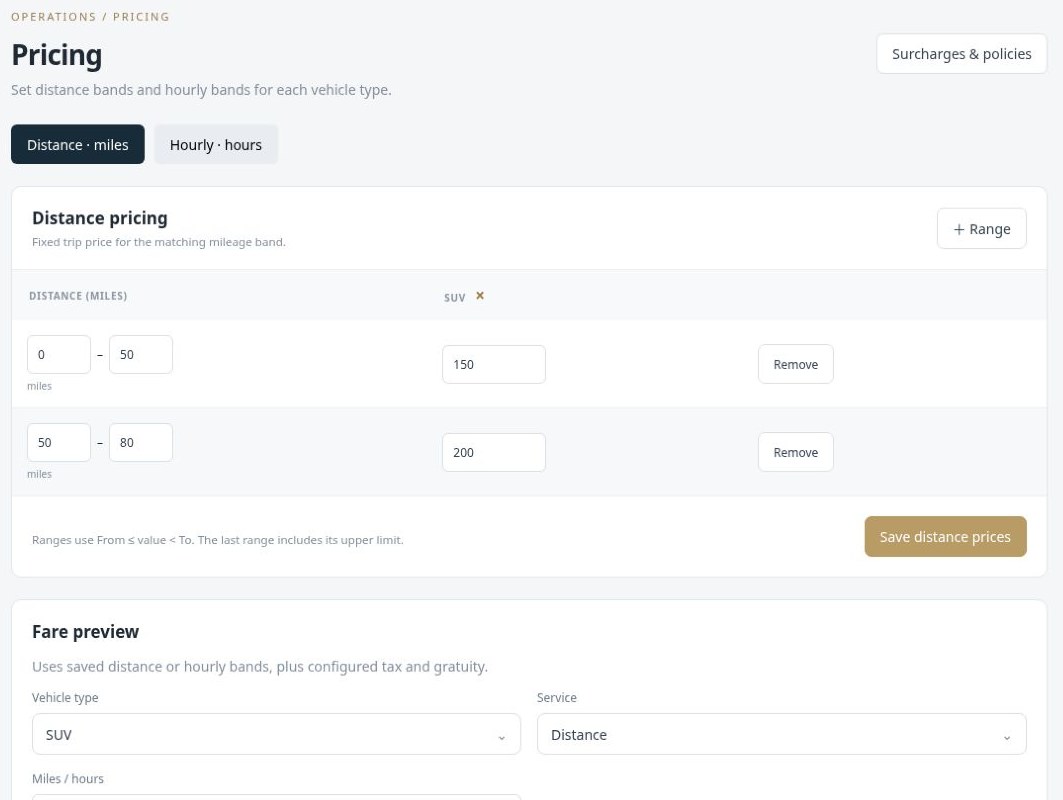
Define pricing bands by vehicle type instead of calculating each quote from memory. Distance pricing uses a fixed trip price for the matching mileage band. Hourly pricing uses the applicable hourly rate and duration. A fare preview helps your team check the saved configuration before using it for a booking.
Create From and To distance ranges and set the price for the relevant vehicle type.
Maintain hour ranges and hourly rates for services such as charters or as-directed journeys.
Use the fare preview alongside your configured tax, gratuity, surcharges and booking policies.
An SUV airport transfer can use its mileage-band price, while an hourly charter follows the configured hourly bands.
 Enlarge actual screen +
Manage promotions and customer-specific discounts through the pricing workflow. Your team can apply an appropriate coupon or customer discount after the base journey price has been calculated, helping special offers remain visible instead of living only in a dispatcher’s notes.
Keep promotional codes organized in their own module.
Manage account-specific offers for repeat or corporate customers.
Check the discount alongside the trip’s base fare and price summary before saving.
A repeat corporate customer can have a recorded discount, while a separate campaign uses a coupon entered during booking.
Keep customer and corporate account information organized alongside the work you perform for them. Contact information, referral sources, account types and special notes help the team retain context between bookings. Link the appropriate customer account to the reservation instead of rebuilding the relationship each time.
Keep the account’s details, source and special notes together.
Associate reservations with the correct customer or company account.
Use account context and customer discounts when preparing future journeys.
A corporate account’s booking notes can help your team handle repeat requests consistently, even when a different dispatcher takes the call.
 Enlarge actual screen +
See what a connected workspace can do for your limousine business.