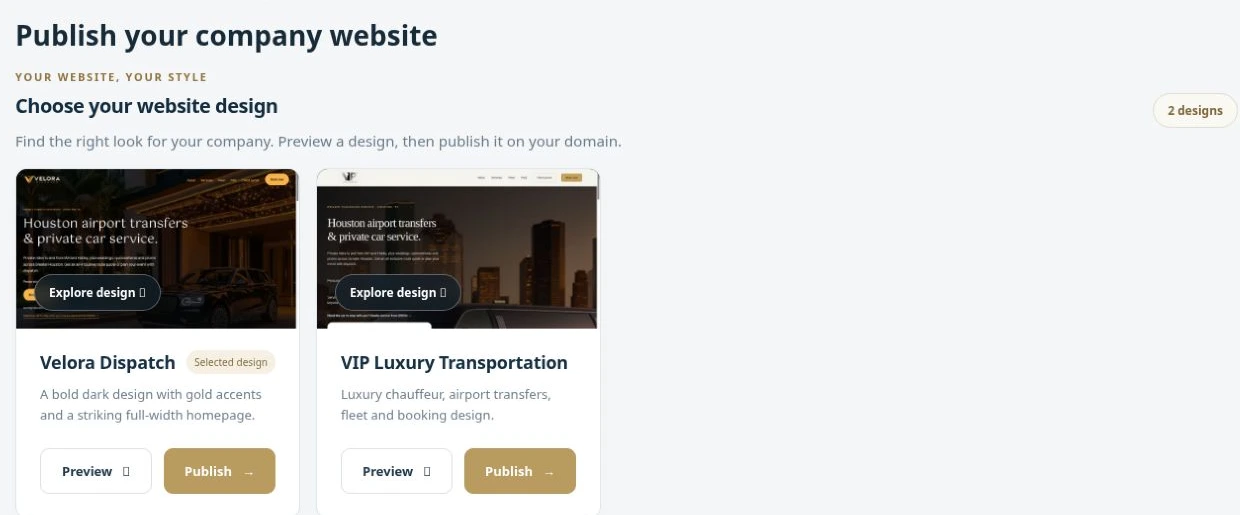
Choose a template
Review the available website designs and select the one that suits the company.

Publish your website and configure messaging and team access.
The website area lets your company choose from available templates and manage its website publishing and domain configuration. Bring the customer-facing presence closer to the reservation workflow through the supported booking-form settings. Publishing depends on the configured hosting and domain setup.
Review the available website designs and select the one that suits the company.
Maintain the publishing and domain information required for the deployment.
Use the website booking settings to connect the form with the company’s workflow.
A company can choose a website template, configure its domain and connect its booking form rather than treating the website as a completely separate project.
Company integrations bring messaging and booking tools into the workspace. Configure supported email services, operational notifications and WhatsApp booking tools according to your company setup. Provider accounts and service configuration are required for the channels you choose to enable.
Maintain the email integration used by the business for supported journey messages.
Use Notifications for items such as maintenance reminders and other workflow updates.
Configure the supported WhatsApp workflow with the required provider credentials and company settings.
An assigned trip can trigger its supported assignment email once the company’s email service is configured, while maintenance reminders remain visible in the workspace.
Configure company information, branding, timezone and account access. Team roles and screen permissions help match the workspace to each person’s job. English, Arabic and Spanish options support multilingual operations while company settings keep the daily workflow aligned with your business.
Maintain the company profile, branding and timezone information.
Configure Admin, Dispatch and Driver roles with the appropriate screen permissions.
Use the English, Arabic or Spanish interface options provided in the workspace.
A dispatcher can receive the screens needed to coordinate work, while a driver account uses the access appropriate to its role.
 Enlarge actual screen +
See what a connected workspace can do for your limousine business.